A new feature in Twitter, from September 2016, is read receipts.
Just as with iPhone Messages and Facebook Messenger, you can now see who has read your Twitter Direct Messages even if they have not replied.
Now I don’t know about you, but that’s not a feature I’m jumping for joy about! So here’s how to switch it off…
If you don’t want strangers who send you unwanted messages to be able to tell if you’ve read it, then this won’t please you:
New! Direct Messages are more dynamic than ever with read receipts, typing indicators, and web link previews. pic.twitter.com/VEU92V5Gqj
— Twitter (@twitter) September 8, 2016
Naturally the read receipt is enabled by default, but it is easy to turn it off on your desktop PC. Of course disabling receipts will also keep you from seeing the read receipt on your own sent messages.
Log into Twitter. Go to your profile and click your avatar. You geta menu drop-down. Click “Settings”
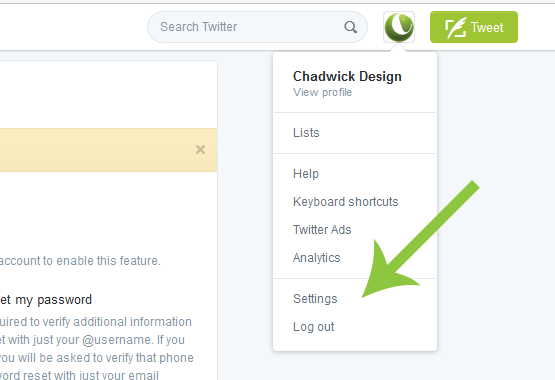
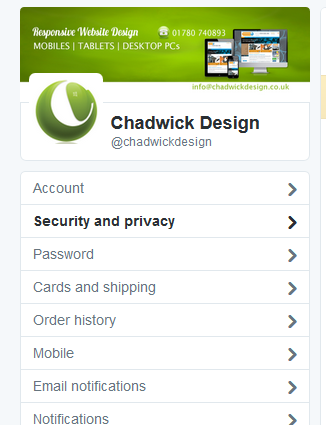
You’ll then see a menu of options on the left-hand side.
Choose “Security and privacy”
Scroll down to “Direct Messages” and UNTICK the box that says “Send/Receive Read Receipts“.
Remember to click “Save” the setting change.
You’ll need to eneter your password again to confirm, but after that you’ll have opted out of providing read receipts.