 If you have followed any advice for optimising your website for the search engines you will know that all the search robots are looking for is text on your website that matches the search term someone has typed into Google. Obviously search robots are blind and therefore can’t see the images on your page and so you might think that you don’t have to think about your pictures when you upload them.
But you’d be wrong… there are ways to optimise any images you upload to help improve your ranking.
Firstly, make sure that you always resize images before you upload them. If you upload a big image and then grab the corner and resize it online, you will still be loading a large image (just displaying it smaller). Big images take longer to load and the more you upload, the slower your site will become. Real visitors hate slow-loading websites and so do the search engines.
Since search robots cannot see your images you have two ways of telling them that this content is relevant to a search:
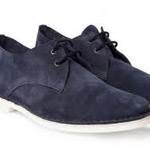
1. Give every image a descriptive file name. bluesuedeshoes.jpg instead of img2079.jpg for example. This is really worth the time it takes and since you will be resizing the images, it will not take a moment to rename it too.
2. Use the alt attribute (alt tag) for every image. Try to use keywords in these alt tags and if you can, also use the title tag. If you take the time to complete these you will increase your chances of having photos served up in the Google image results since you will be giving clear information to the search robots on what the image is.
These tags show the image’s relevancy on a page and therefore greatly aid your website search engine optimisation.
These tags are also important for another reason: accessibility. They help to make your site accessible for all visitors, even those who are unable to see the images on the screen. Anything which is good for accessibility, is also good for SEO.