
Having a Google Places page for your business is an excellent idea as it will help you come up in Google Local searches. Since more people now search for businesses online than use the Yellow Pages, you cannot afford to miss out.
If you don’t already have a Google Place, here’s how to get one….
The first step is to create a Google account if you do not already have one. You can create a second account if you want to have one specifically for your Google Places (so that members of your staff can update pages for example).
Follow this link to set up a Google Account.
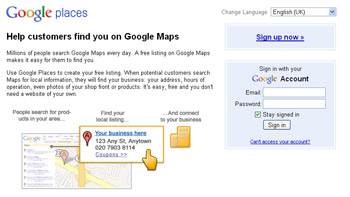 When you have a Google Account go to Google Places and sign in.
You will be invited to pick a country for your page and to supply a phone number. Make sure you enter a landline in here. Then click “Find business information“.
You may find that your business is already listed in the information that is brought up. If so, move on to check all the details in this listing and edit where they are incomplete or wrong. If there are several businesses at one address, and yours is not one of them, choose “Add new listing“.
If not, then complete all the details that are requested. Make sure that you complete the information in as much detail as possible. As you add your address you will find a Google map will appear, with a map pin showing where your business is. If this is not exactly right, you can move it later.
Don’t forget to add a link to your website (include the http://) because if your Google Places page comes up in a local search, you want people to be able to click through to your website. Take the time to put in up to 5 categories for your business. Google will suggest categories as you start to type. You must choose at least one suggested by them.
Take the time to upload photos (up to 10). You could add a picture of the premises to help people recognise you when they are looking for you or pictures of some of your products. If you have business videos on YouTube, you can even add these to your Google Places.
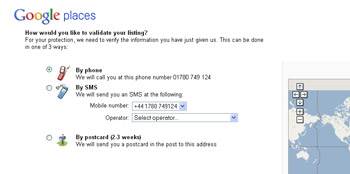 The next step is to verify your Google Place page. This means that Google will know that you are the business owner. It is also a way of preventing malicious postings. You can choose to verify the page by landline phone number, by mobile (if you put one into the original listing) or by post. If you are verifying by phone, make sure you do this stage when you are by the phone, as you will receive an automated response almost immediately.
Click “Finish”.
When you receive your phone call make a note of the verification number. When you next log into your Google account, you will be prompted to verify your Google Place. You will then be able to see statistics on the number of visitors to your page.
If you are not sure why you should go to the trouble of creating a Google Place page, read “Changes to Google Places“