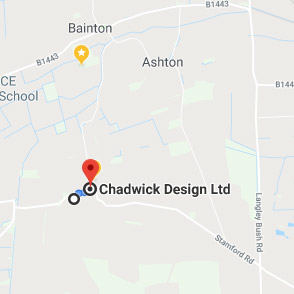
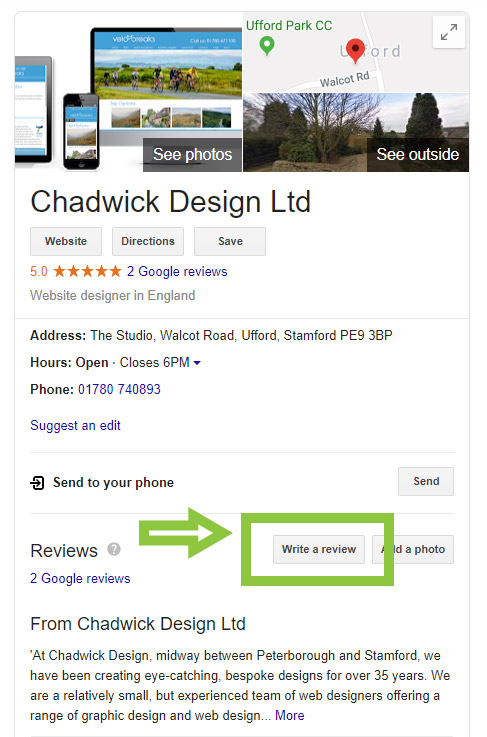
When your company comes up in a search in Google Maps, your Google “My Business” information is displayed. You will see information on your company that you have set up including address, phone number, any photos and a link to your website. You will also notice that any reviews a customers has left for you on Google are highlighted here.
It’s a great idea to make it simple for happy customers to leave a review for you here. Here’s how to create a link you can send to clients:
1.You need to find your unique Google reference id for Google maps.
Visit https://developers.google.com/places/place-id and add your company name to the location search box.
2. You will find the place id alongside the address so you can check you have the correct company.
For example, ours is : ChIJb_waKaz0d0gR0s-9OuD4Yaw
3. To create a link you may send to clients add the unique id to the following url:
http://search.google.com/local/writereview?placeid=[place_id_here]
So our link is: http://search.google.com/local/writereview?placeid=ChIJb_waKaz0d0gR0s-9OuD4Yaw
4. Now that’s quite a long link to email to clients, so the final step is to create a shortened version. You can do this by using a link shortener such as Bitly.
Go to bitly.com. Add the long link to create a shortened version:


